Porject
Smart Home
Role
UI/UX Designer
Duration
2 months
Water wastage is a growing concern in daily life. While many factors contribute to it, water tank overflow is a major yet often overlooked cause. In many homes and buildings, overhead tanks overflow due to the lack of proper monitoring or automatic control systems.
This results in unnecessary water loss, increased electricity consumption, building maintenance issues, and financial waste. In India alone, an estimated 580,937,500,000 litres of water are wasted every year due to tank overflows, accounting for over 30% of the total water wasted in the country.
This highlights the need for efficient systems to monitor and control water levels in storage tanks to reduce water wastage.

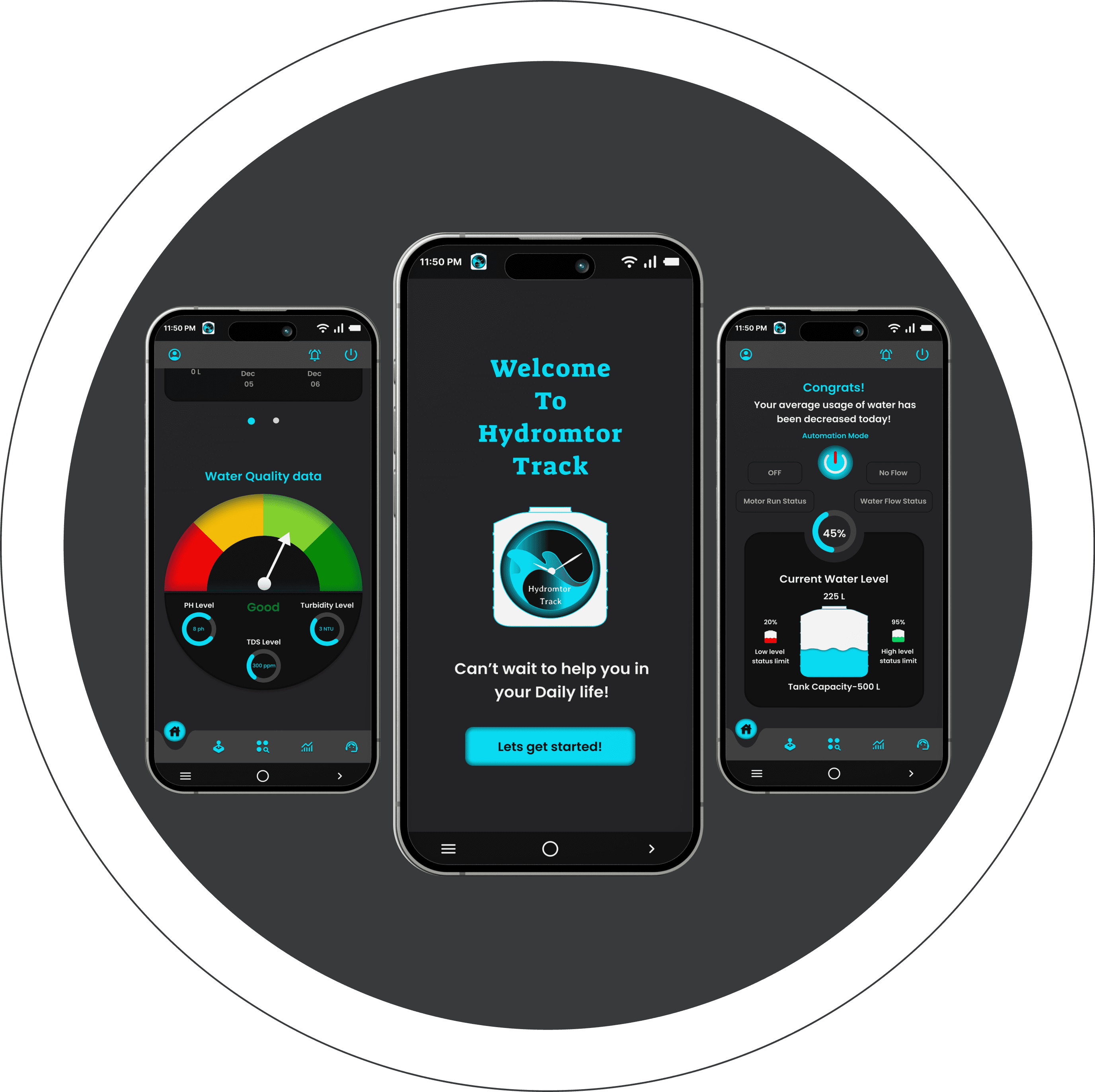
Hydromtor Track application can help users to monitor water tank level status and with that live data, it would process automation turn on and off features. It also helps user to access motor function from remote. By knowing the data history of water tank filled schedules and tracking the water level usage on daily basis, water wastage through water tank overflow can be reduced and it could save other resources aswell.
To provide an intuitive, visual appealing and user friendly app which monitor water tank level status that sets to an automation turn On/ Off, and to access and track motor working status from remote. To provides real time information on water usage level and it also helps in tracking history of motor running schedules.
To focus on reducing water wastage/ Power consumption due to water tank overflow issue. The user could track history of motor schedules on filling water in the tank and water usage level. This app would encourages users not to waste water and in a way to create Self/Social awareness about Water to the World, the Life and our Future.
Quantitative research is the process of collecting and analyzing numerical data, used to find patterns and averages, make predictions, test causal relationships, and generalize results to wider populations. From my desk research, I formed set of quantitative questions to measure users’ behavior and feedback for the topic of my research. I have analyzed the responses received for the questions and generated as report.
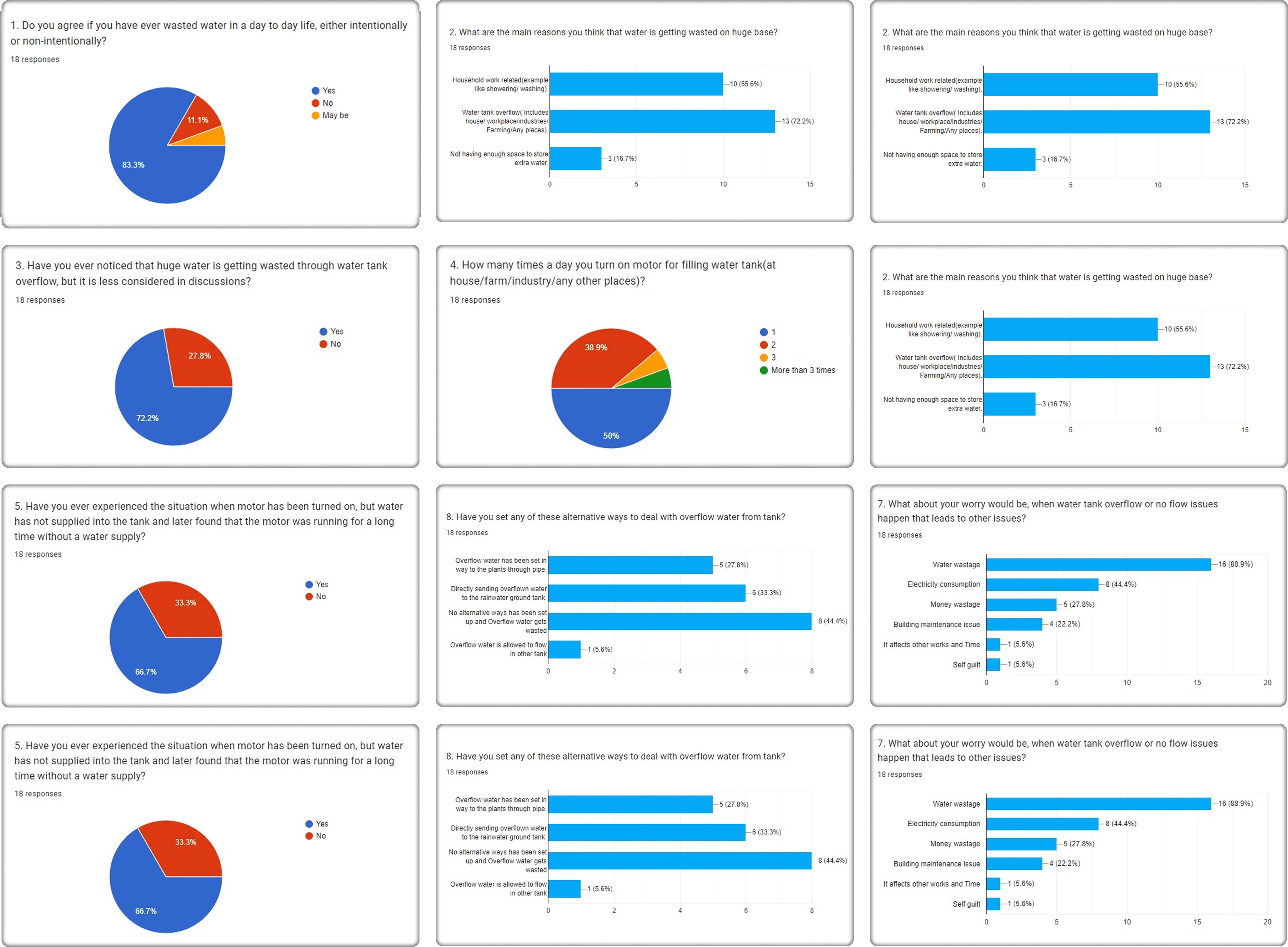
Moving to qualitative research, I have focused on obtaining detailed data through open-ended and conversational communication. Through this method, I gathered different insights about “what” people think, “why” they think so and how much they are being aware of topic under discussion.
?. Have you faced any issues monitoring water tank levels or motor status in daily life (home, workplace, etc.)? Please share your experience.
As a house maker, I’m really worrying everyday’s responsible on turning on and off motor and to make sure that water is not getting wasted due to overflow.
At same time , I also concern if water starts flowing into the tank in certain period once motor is turned on.So I have no idea of dry run status of my motor especially during summer.
?. Have you faced any issues monitoring water tank levels or motor status in daily life (home, workplace, etc.)? Please share your experience.
I’m living in a nuclear family but as a seperate building floor house. The water tank is common to us and most times, we are not aware of how much water we are using daily. And some times, misunderstandings are happening on taking responsibility for monitoring water tank, to turn on and off.
?. How useful would a user-friendly mobile app be for remotely tracking your water tank level and motor status?
It will be more useful and would change my life in a beneficial way. It would save time and I dont need to worry about monitoring water tank level or about water over flow issue. It would make my day a stress free one since I dont even need to walk number of floors or to ask for help to someone to check water tank level status.
?. If you have already used any application for water tank level and motor status monitoring, please share in details about that.
I have used a hardware sensor that just detects my water tank level and turn off the motor. But not used any application to track water level or to access remotely.
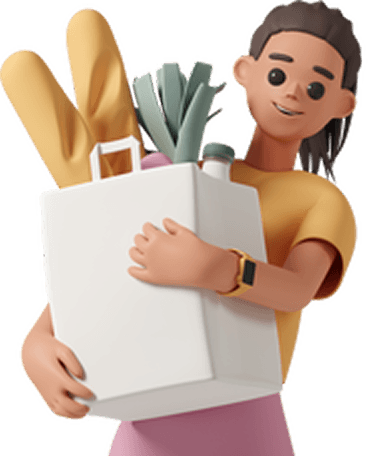
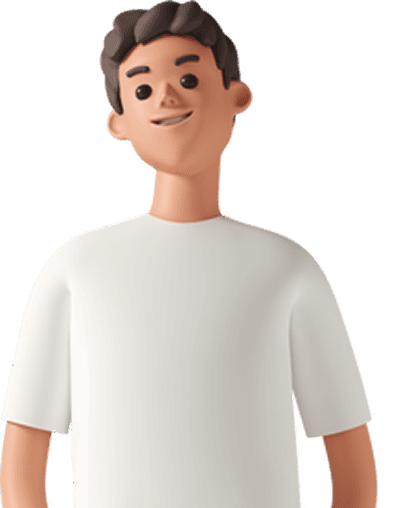
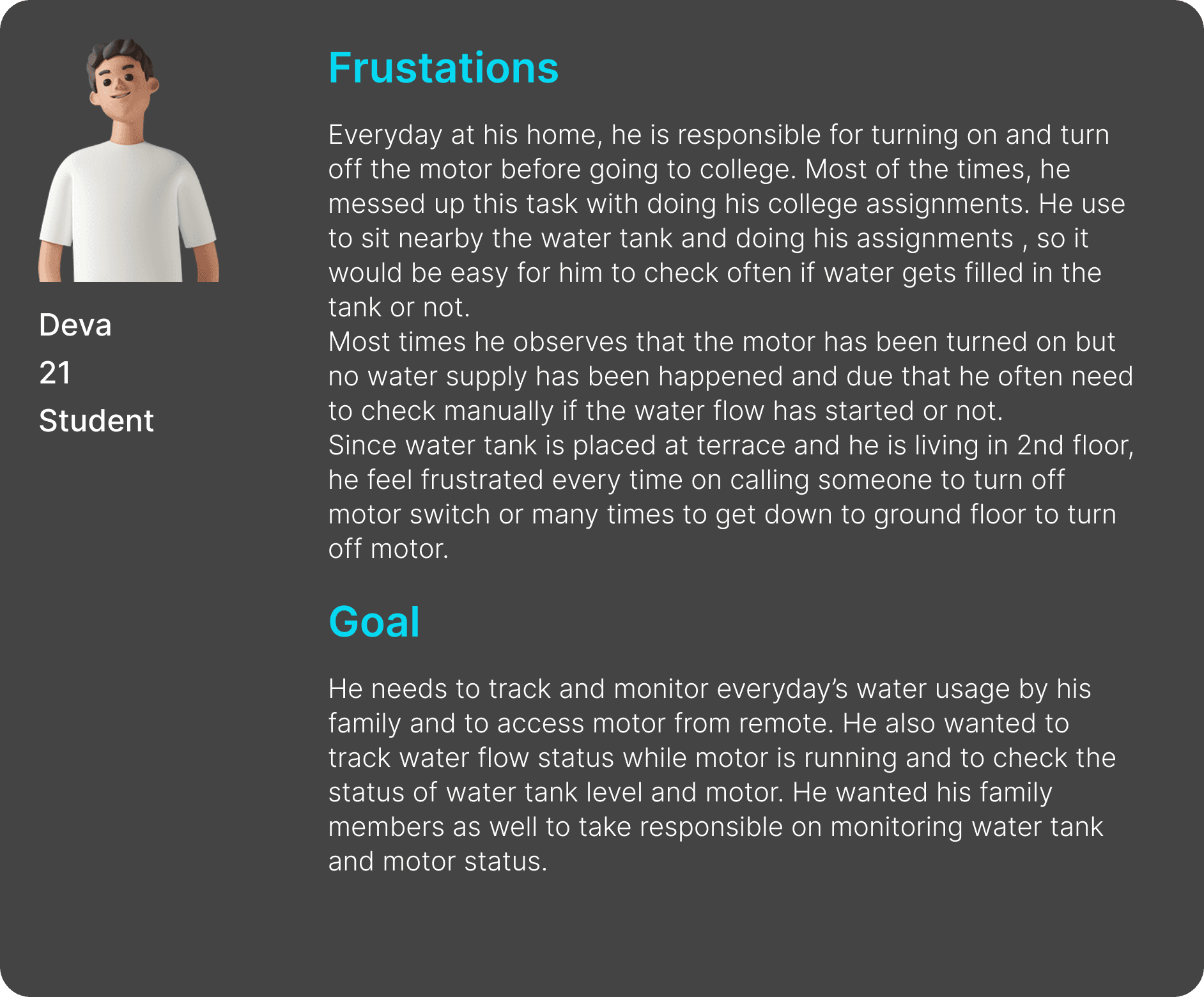
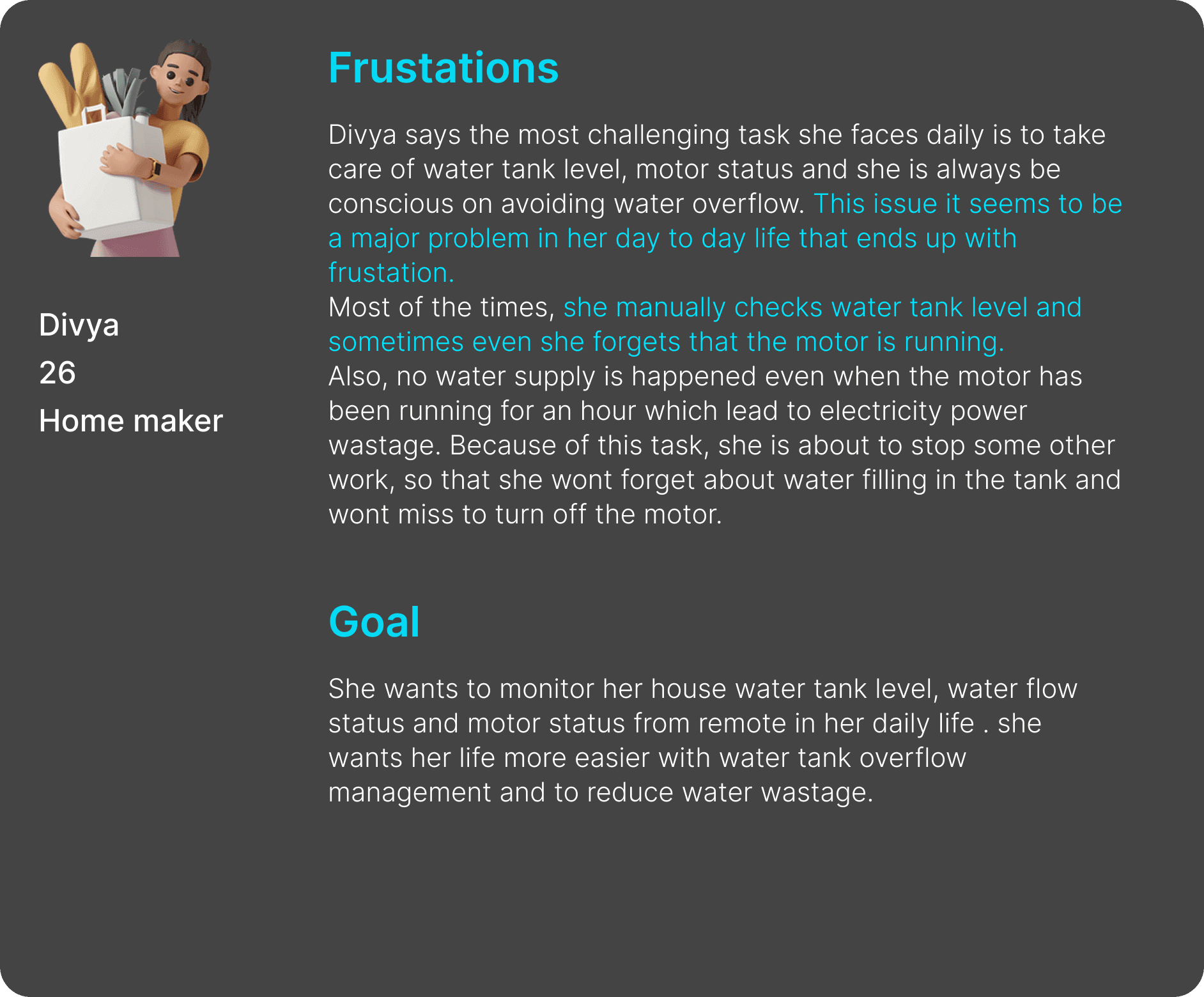
I have created two personas, which is a fictional character that represents a typical users of an app, which helped me on understanding my target audience for defining the problem and user experience and user interface (UX/UI) design.
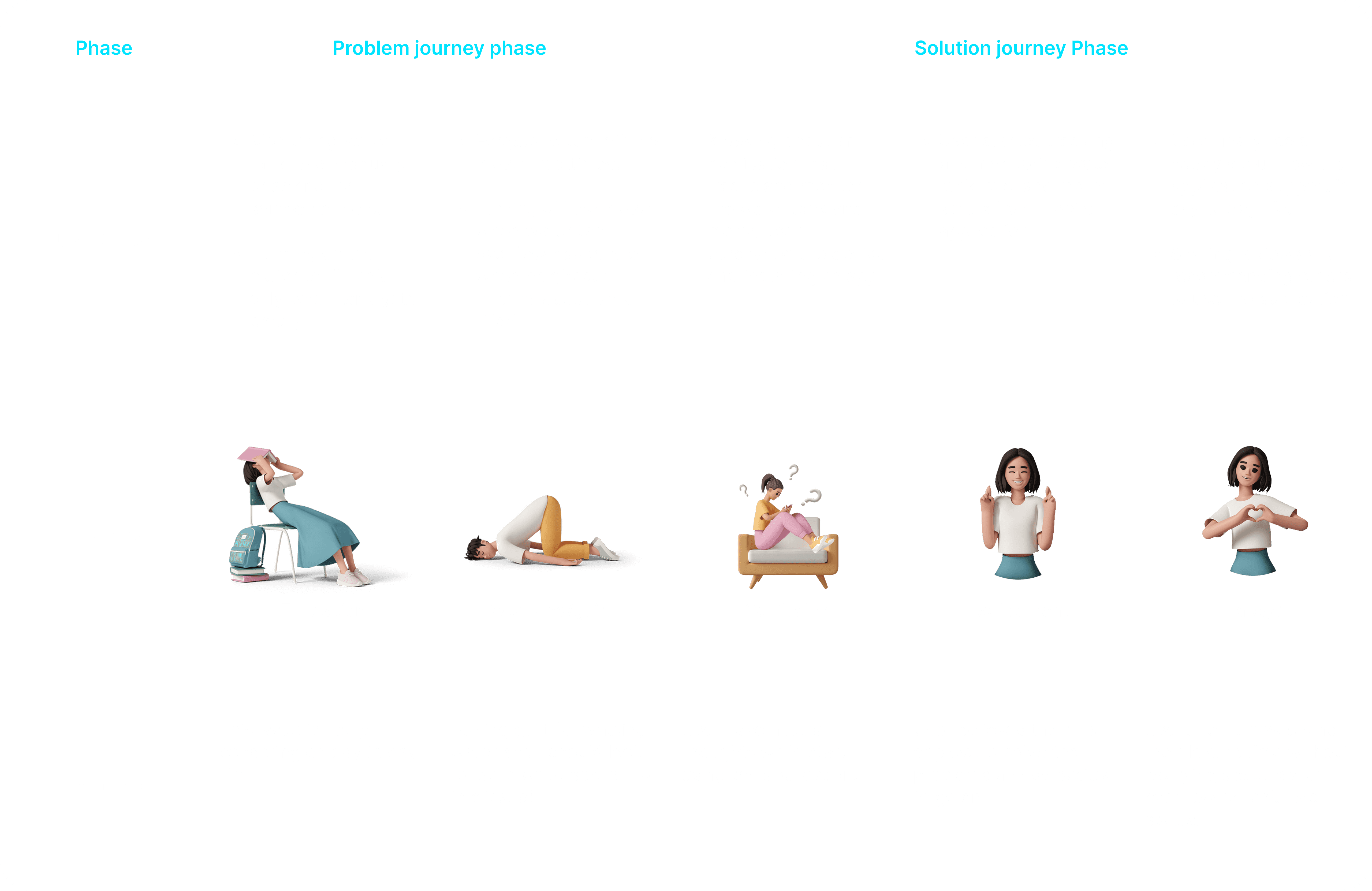
Then, I have created a User journey map to identify how the users’ journey has been going through water tank overflow issue, monitoring water tank level and motor status. Also I have framed a journey phase how users will be going through once their problem has been solved.
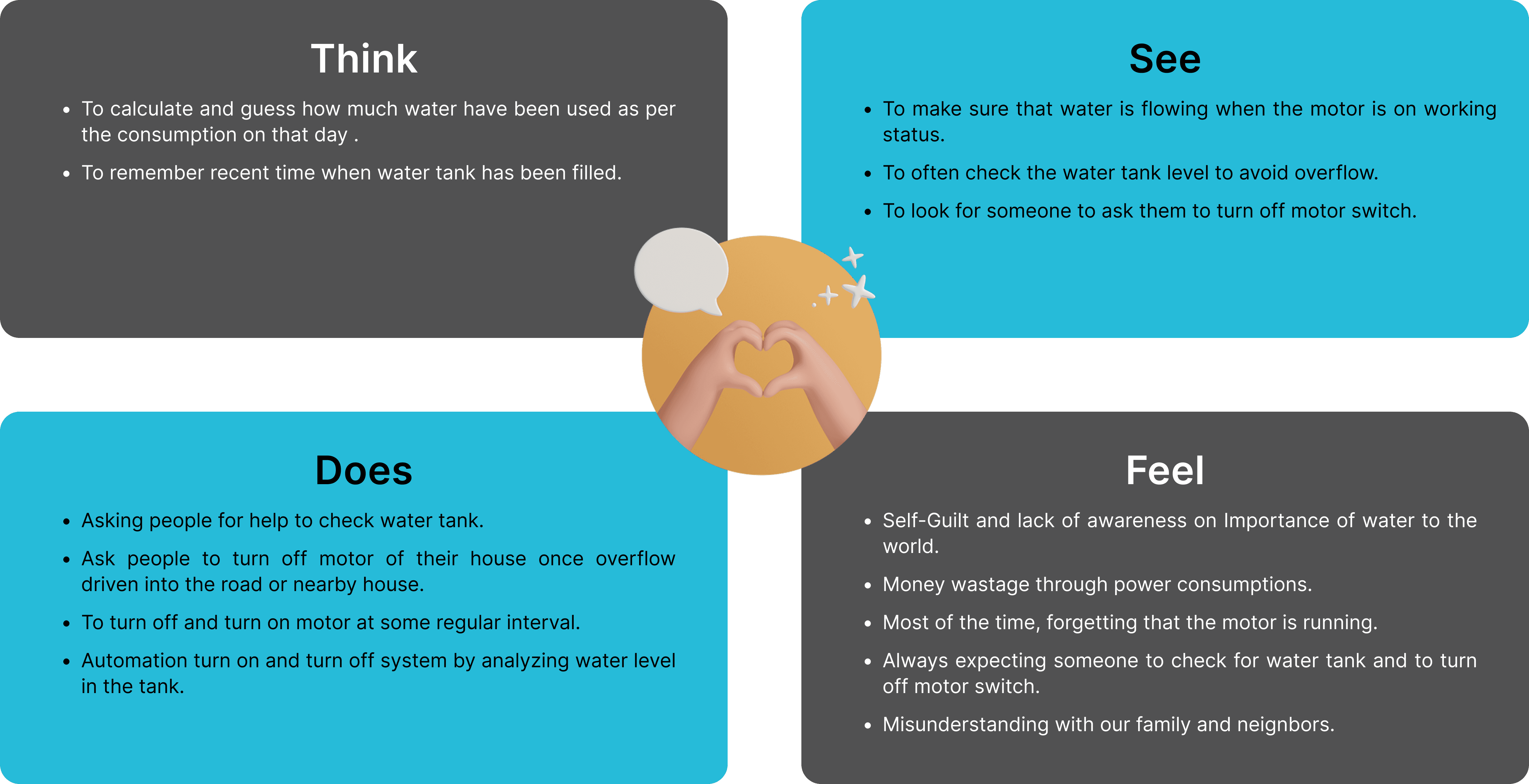
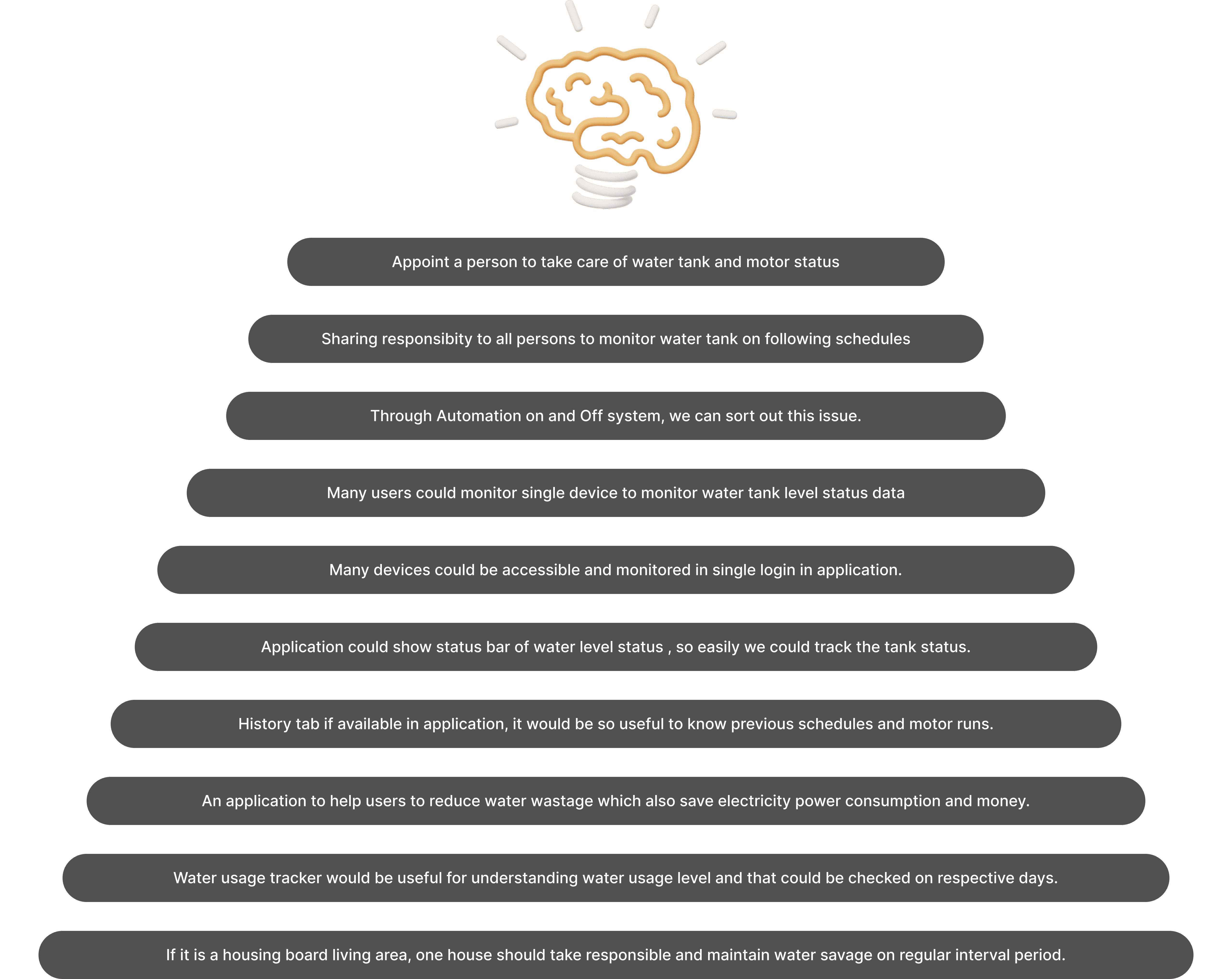
As a first step from Ideation process, I have pointed out all the spontaneous ideas and creative thoughts generated from different perspective scenarios leads with the same pain points.
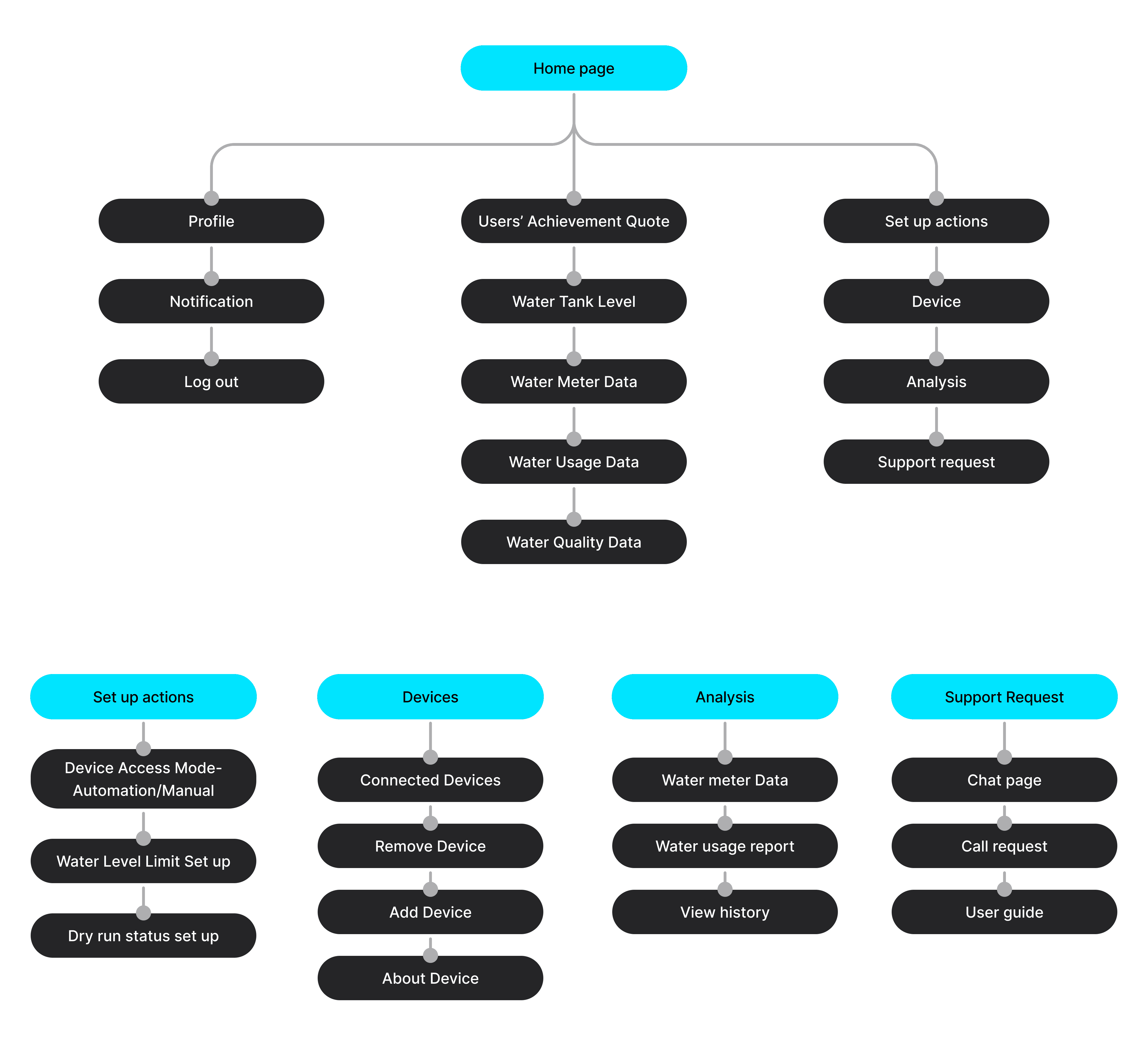
Information architecture is the process of guiding users through the site by organising and arranging all the relevant content in a clear, intuitive way which of makes information findable and understandable. From the ideas gathered, I made a blue print or like a visual representation of the application’s infrastructure, features and hierarchy.
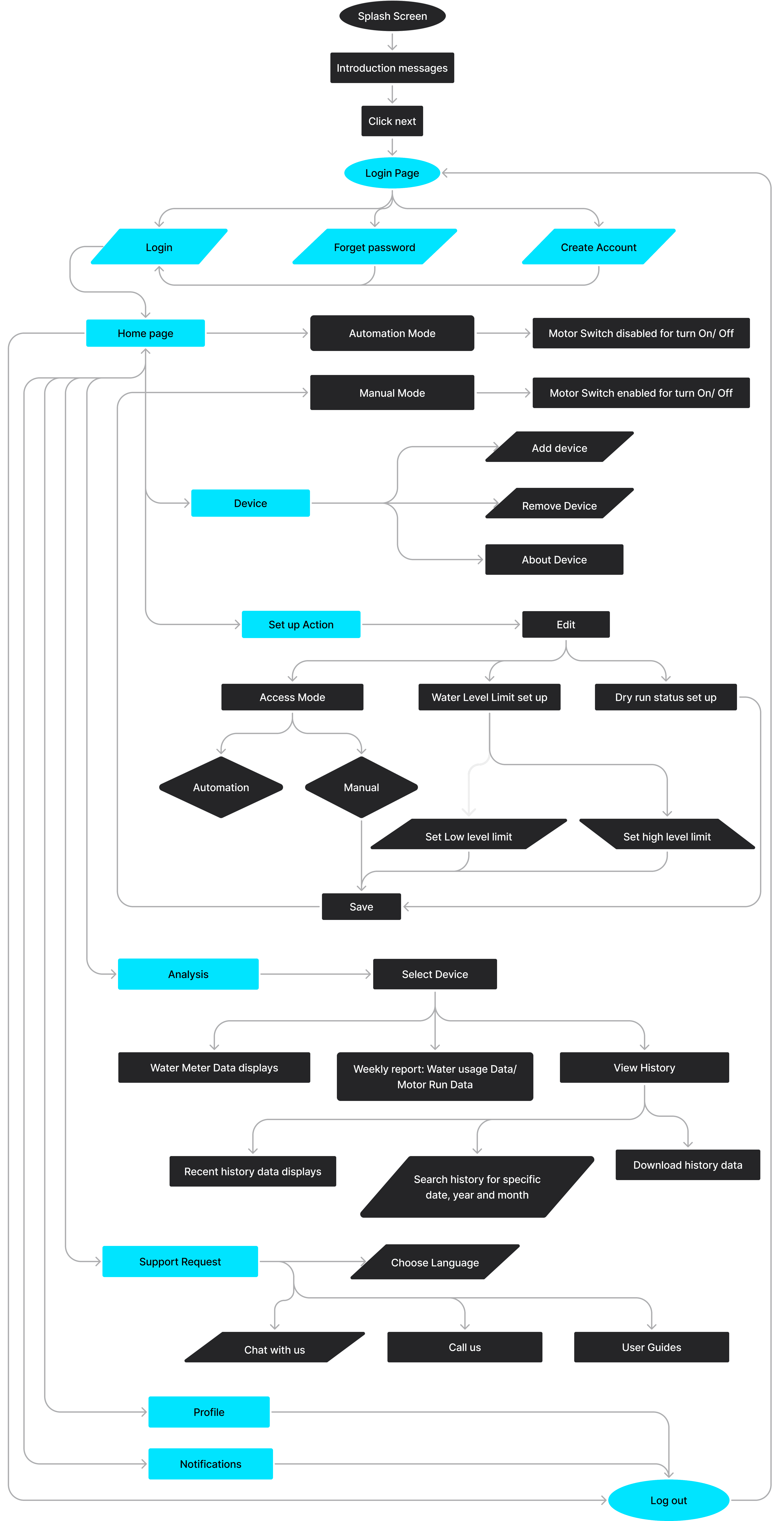
I have drawn the clear User flows diagram that display the complete path a user takes when using an application. It lays out the user's movement through the app, mapping out each and every step the user takes from splash screen right through to the final interaction.
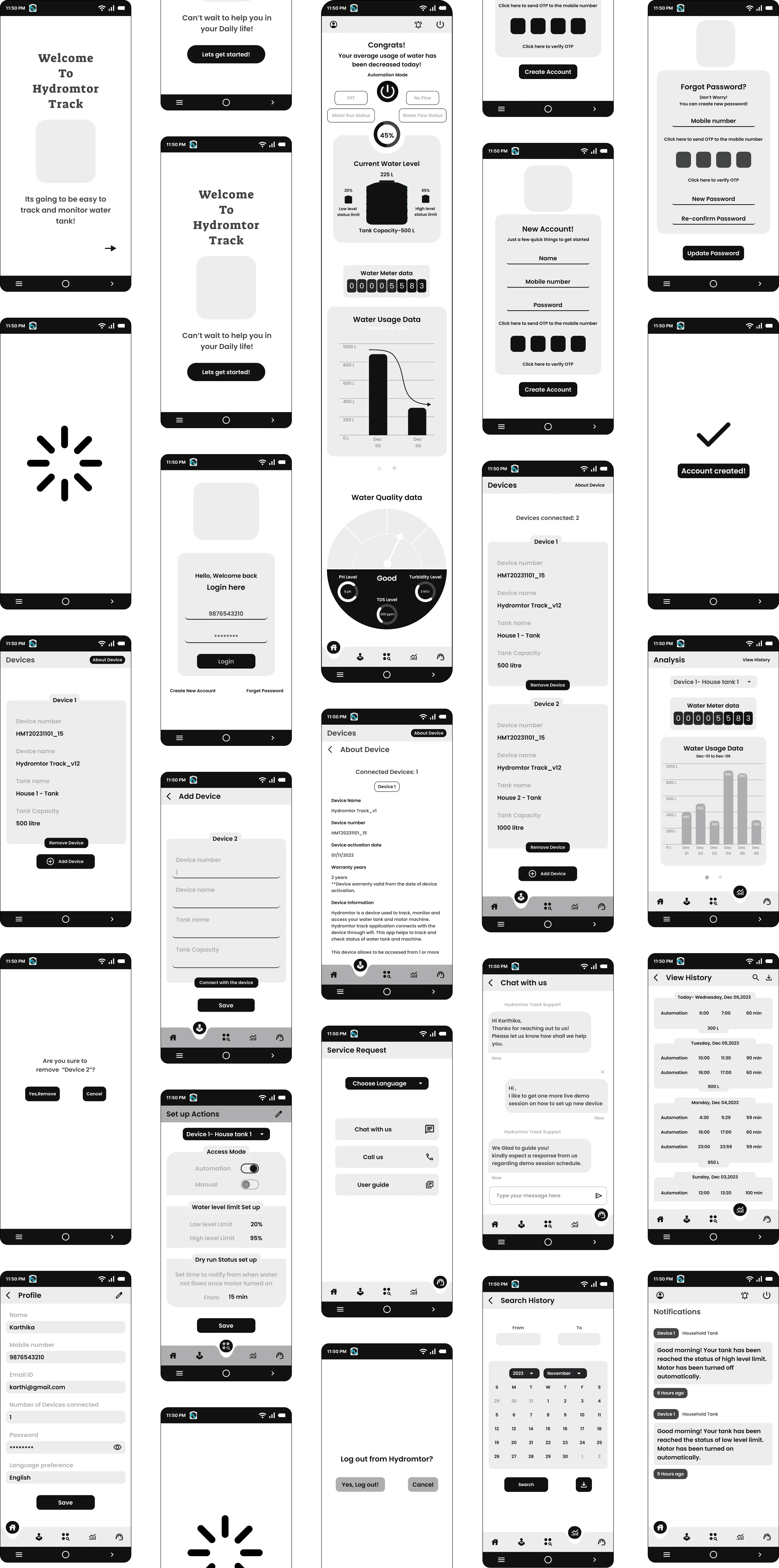
From User flow, next I started creating wireframes which is a skeletal outline of the application. This would provide a clear overview of the page structure, layout, informational architecture, user flow, functionality, and intended behaviors. Depending on the detail is required, I have created wireframes with minimum styling, color, and graphics to represents the initial product concept.
As a very first step while starting an application design, I started designing a Logo for the application. I created a logo in a way that represents a Water tank with two clock hands as time tracker with water wave background. The application name “Hydromtor Track” is a combination of Hydro(water) and Motor tracking. And so the logo is all about, what the application is.
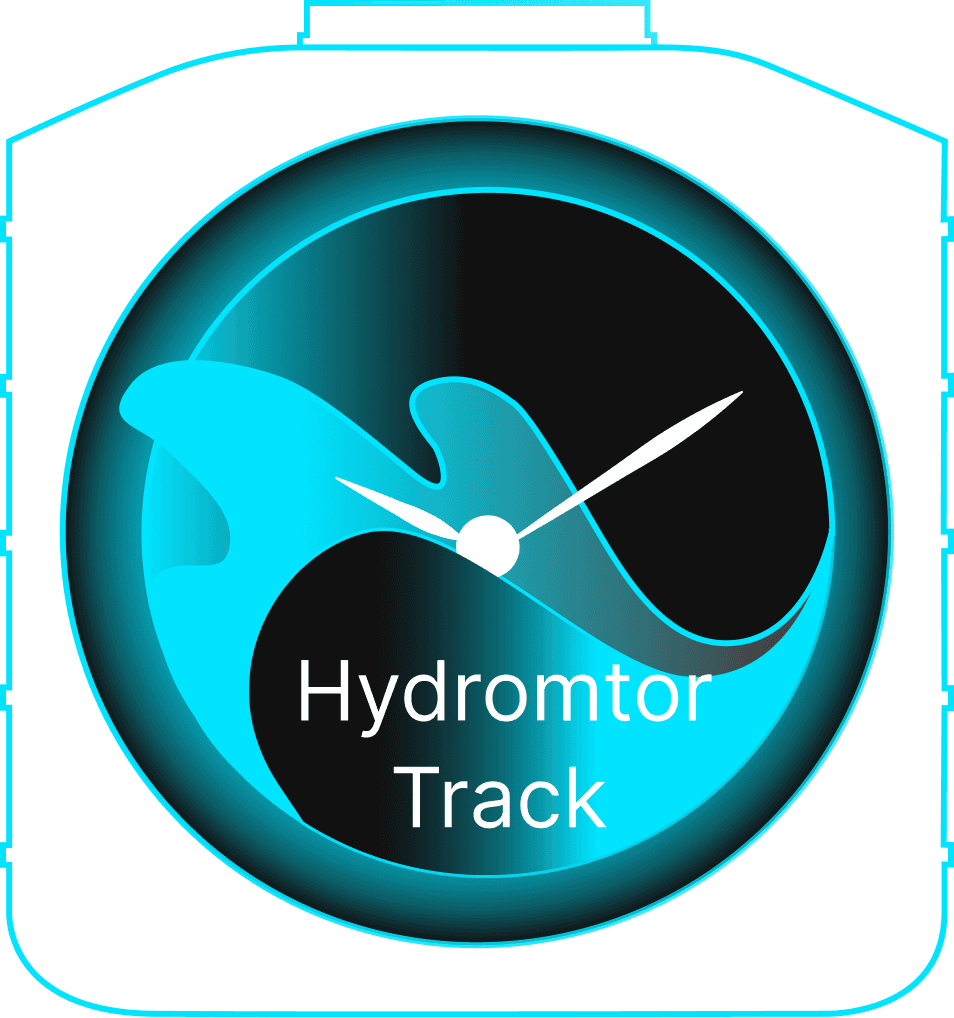
As a very first step while starting an application design, I started designing a Logo for the application. I created a logo in a way that represents a Water tank with two clock hands as time tracker with water wave background. The application name “Hydromtor Track” is a combination of Hydro(water) and Motor tracking. And so the logo is all about, what the application is.
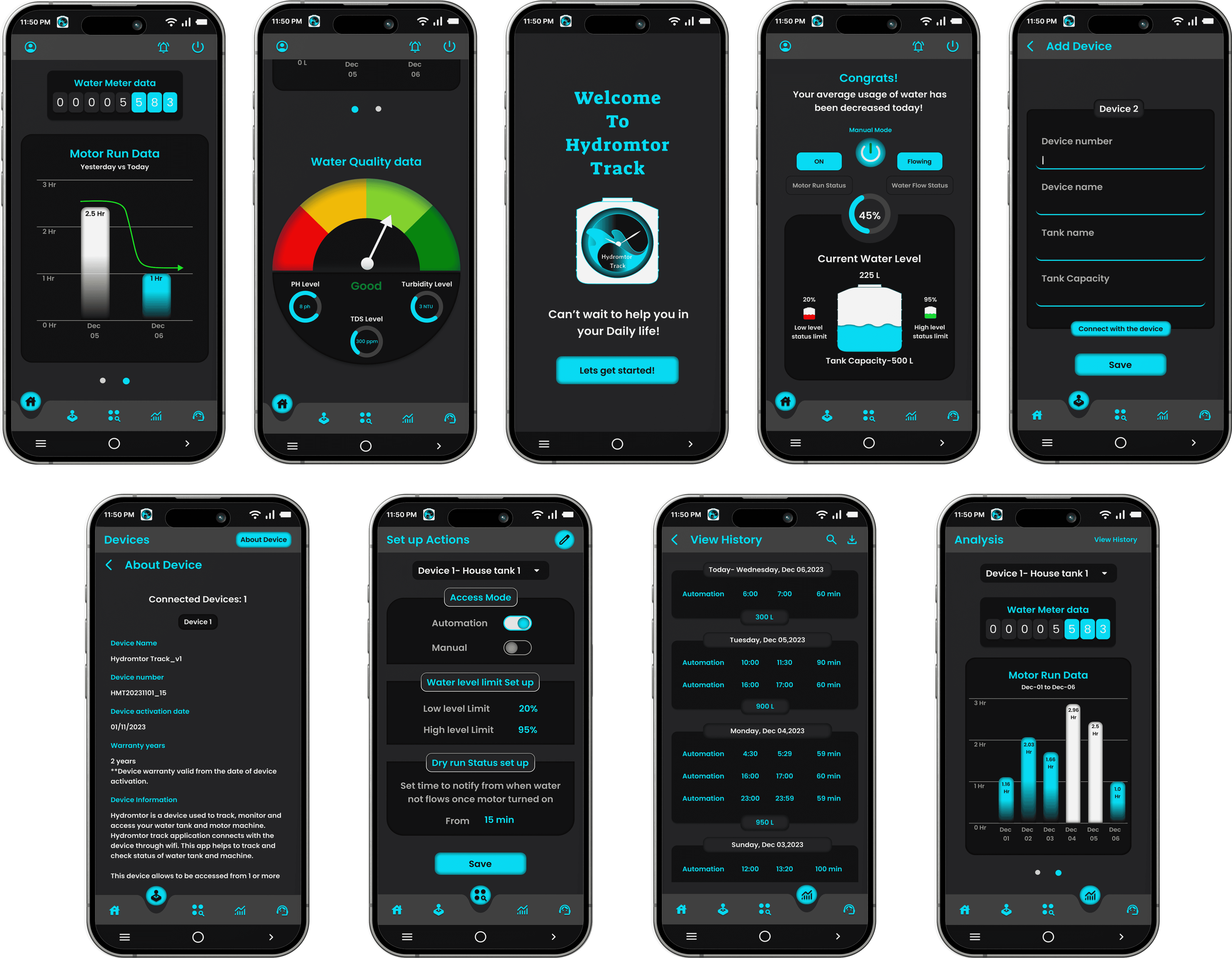
Once I completed the designing phase, I manually tested the proto typed application by performing all user-flow tasks. Then, I have shared the same to certain users to check how the app is being used and understand by the users. The application has been created with the main goal of being user-friendly one that satisfies the user's requirements and solve the real time issue of water tank overflow and motor tracking scenarios. So as the results from testing, users feel easy on experiencing understandable visual designs and exploring screen navigation.
I have manually checked the accessibility of font and icons used in the application. Usage of sans-serif font satisfies the readable access. While applying colors in UI screens, I have used WebAIM Contrast Checker tool to find contrast ratio which is passed in WCAG AAA, with the ratio of 12.17.1